Showing posts with label Frugal. Show all posts

Wednesday, July 20, 2016

How to Eat More Vegetables

Fresh from my back yard garden
Like so many of you, I, too, have heard and tried to obey the call to eat more fruit and vegetables. After reading Eat for Health by Dr. Joel Fuhrman, I started weighing my food to ensure I ate at least half a pound of fruit and vegetables per day. That was actually not as tough as you'd think, and though I am not really weighing my food now, the weighing process did give me an idea of how much I should be eating. One apple is nearly half a pound. Half a cucumber, half a tomato, and some broccoli was half a pound. That's not a hard starting point (but later in the book, you're supposed to be eating a lot more than that, but, I'm happy with simply more than what I had been consuming in terms of fresh foods, and half a pound is doable).

Ok, all well and good. But how did I make it easier to eat this fresh fruit and veg? By orchestrating it. Yep it was a learning process, and involved a little planning and strategic placement of the foods I wanted to integrate more into my diet. Here's what worked for me:


  • First  - buy the food! I had a bad habit of not buying vegetables unless I had a plan for them, because, being a frugal suburbanite, I didn't want the food to go off in the fridge. So, don't be frugal - buy the food, so it will be there to be eaten

  • Second - Prepare the food for consumption as soon as you get home from the market or grocery store. Wash the grapes, and the tomatoes, and all the stuff you bought. Then, anything that needs to be cut up, cut it up. For example, cut a few stalks of celery into smaller sticks for easy consumption. If you bought watermelon, cut it all up and put it in a container. Why do all this? Because, let's face it, when you're hunger or just feel like snacking, are you really going to peel a cucumber or cut open a watermelon? Especially when you've got a bag of cookies in the pantry, all ready to eat? Yeah, that's what I thought. 


  • Third - put your fruit and veggies where you will see them. For things that don't need refrigeration, put them in a bowl on the kitchen table or counter. For things in the fridge, keep some out of the crisp drawers (where, for me, things lay forgotten for-e-ver!), and place them where your eyes are first drawn upon opening the fridge. For me, it's the second to bottom shelf (maybe the 2nd shelf down?), on the right hand side, near the front. I noticed that that is the place my eyes always go. So, I stopped storing the left-over pizza there, and put my pre-cut broccoli florets and my celery there instead. Voila - I just automatically started eating more veggies!


Oh, another point: Don't let non-organic or non-delicious deter you. What I mean is, well, every health nut is on the organic band-wagon. And, actually, I do believe organic is better. I mean, who wants to ingest pesticides? But, hello, I'm barely employed,and if I had to eat only organic vegetables, I wouldn't really eat any. I think even Fuhrman says that it's better to eat vegetables that are not organic vs. eating none at all.

And, finally - if the only way you find salad palatable is with dressing on it, then go for it. It's better to eat vegetables with blue cheese sauce than not eat any at all!


Wednesday, March 30, 2016

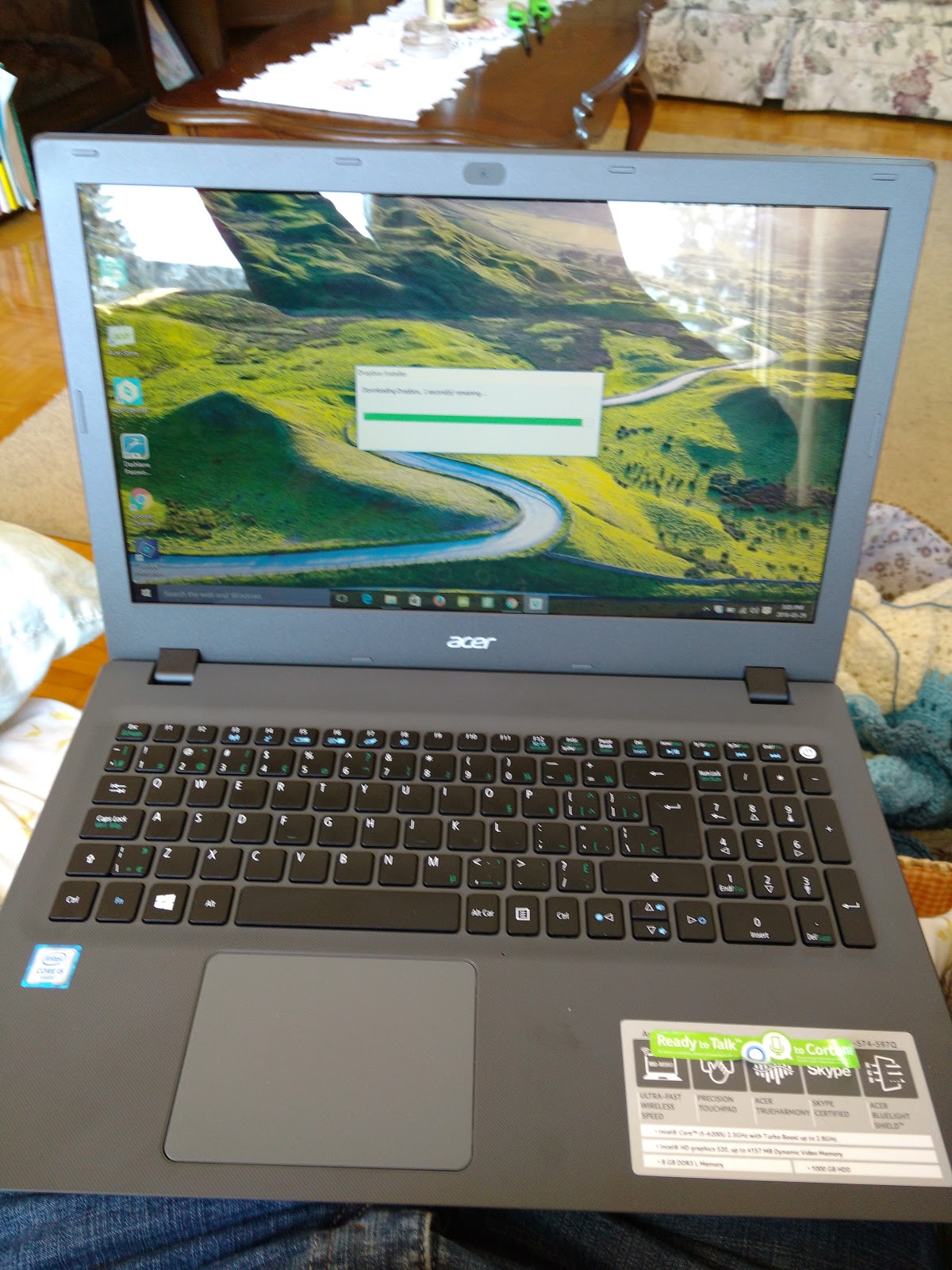
New Laptop - Acer Aspire E15

Well, I broke down yesterday and finally bought a new laptop.

I didn't really have the money for a new toy, but my old Acer, which was a low-end laptop to start with, was five years old. And, don't forget, in my past manifestations, I was a real computer nerd/ techie. I had built two of my own desktops from the ground up, ran Linux on several machines, hand-coded my own websites.

But like all things, hobbies (and finances!) change, and I was reduced to my one old desktop (which still runs pretty well!), and my low-end Acer. And, frankly, I never work on my desktop anymore and the old laptop just could not keep up with my software needs. Oh, and it crashed occasionally when trying to handle heavy graphics like video chat and video edits.

So, I swallowed my frugality and my guilt at adding a new item to my credit card, went to Best Buy and bought another Acer.

I know that there is a real love-hate group out there. Some people say they are crap machines and will break down fast. I have had Acer laptops for the past decade or more, and I am a fan.

The Acer I bought yesterday is not high end by any means. Honestly, I had to stay as low-cost as possible, while still getting enough bang to use Photoshop Elements and video stuff. And, so far, I am extremely satsified! This little guy runs my PSE14 far more smoothly than my old one did, and is a good, clean machine. For $570.00 CAD, (plus the obligatory extremely high tax), I feel I got good performance for the investment.


Saturday, January 30, 2016

It's All About the (PC) Points!

I've been a card-carrying PC Plus points program member for, oh, probably about two years.  For those who don't know, the PC points card is accepted / used by all stores that fall under the PC umbrella, like Loblaws, Maxi and Provigo in Quebec, or No Frills and Real Canadian Super Store in Ontario. I'm sure there are others in your area, too!

Anyway, this is a super points program, and more than just getting to spend the points on groceries (or any other items sold by participating stores), I actively enjoy collecting the points! Seriously, I wake up eagerly every Thursday morning so that I can load my offers and see if there is anything good for stuff I need. I really never paid attention to it, though, until maybe this time last year. That was when Maxi opened up nearby and I started paying attention to, and loading, my offers. I then got and used a PC Financial Master Card, and the points really started to add up. By Christmas, I had $180 worth of points, and I used those to do my holiday grocery shopping.

If you have no idea what the PC Plus points are or how they work, first, you need to surf over to their website (http://www.pcplus.ca) and create your account. You will need to get a card from your store, or download the app on your smart phone and use the digital card. Every Thursday morning, login and load your offers. The more you use your card when shopping, the more offers you will receive that are tailored to your shopping habits. For example, I often buy V8 vegetable juice. Hence, I frequently get offers (i.e. points for purchasing) said product. When you start to pay attention, load your offers, shop the sales and price match (Maxi) whenever possible, you really see the benefits.

Here's one little anecdote, showing how luck and frugal shopping can have a nice little bonus. Last week, Maxi had ground beef on sale. Sadly, I did not have a beef offer, but needed to shop the sale since I refuse to pay $5 or even $6 a pound. However, they were out of the product, so I got a rain check for ground beef at $2.88 a pound (yes, that's a HUGE sale these days).That was Wednesday. Thursday,. I got new offers and, low and behold, I got an offer for buying beef. Today I did groceries and redeemed my rain check, which had been misprinted as "$2.88 per kilo"! WOW! OF course, they had to honour it. so I scored $37.00 worth of meat for under $12. And, ultra bonus, I got $3.90 in pc plus points to boot, as the cashier rang up the original price before applying my discount.

Now, you won't always get that lucky, but still, the points really offset the cost of shopping.

Ok, some things to know:

  • 1000 points = $1
  • You can only start using your points when you get $20 worth (20,000 points)
  • Your purchase must be at least $20 in order to use your points
  • Your points are used in $10 increments after the first $20 for each purchase made using points
  • You cannot use your points for booze, smokes, lottery tickets, or, oddly, milk. 


Ok, you're all set, so go get your point card, and go get shopping!


In the Woods with Lola!

And my Sunday morning yesterday was pretty great, too. I took Lola to the dog park - we really don't go often enough anymore - and she...